Labels

Wednesday, 3 September 2014

Password Decrypter 1.0


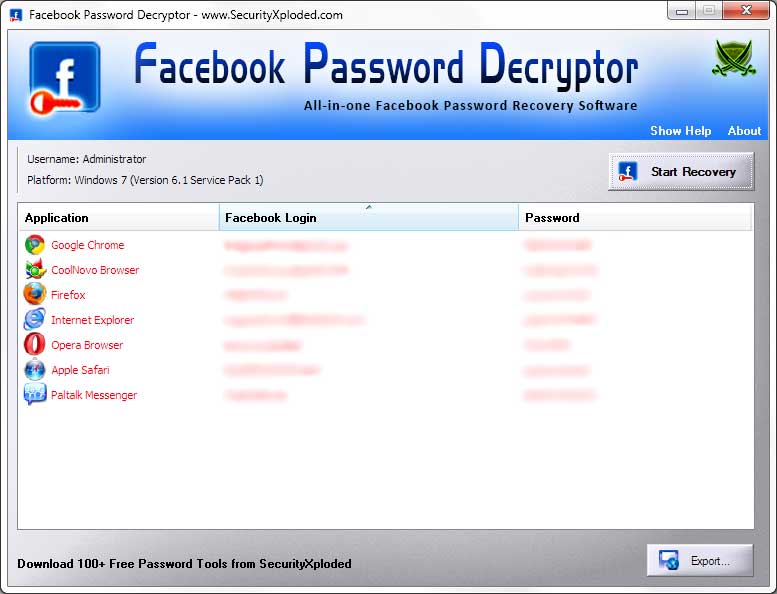
Screenshot 1: Facebook Password Decryptor showing the recovered Facebook password accounts from various applications.


How to Use?
Facebook Password Decryptor is easy to use with its simple GUI interface. 

Here are the brief usage details
  • Launch FacebookPasswordDecryptor on your system
  • Next click on 'Start Recovery' button and all stored Facebook Login passwords from various applications will be recovered & displayed as shown in screenshot 1 below.
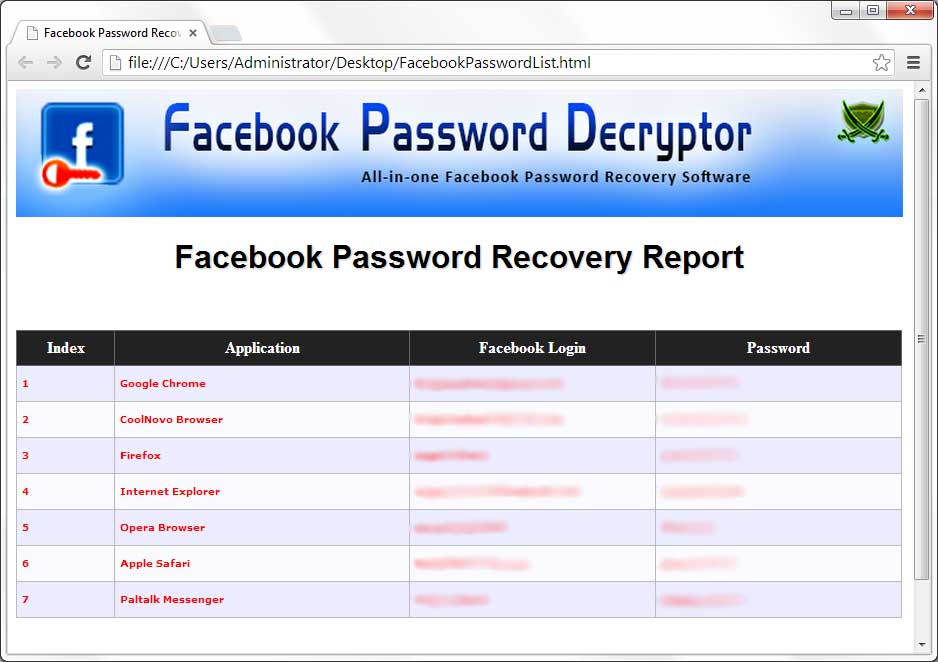
  • Finally you can save all recovered password list to HTML/XML/Text/CSV file by clicking on 'Export' button and then select the type of file from the drop down box of 'Save File Dialog'.
Note that Facebook Password Decryptor recoveres the stored Facebook password for currently logged on user only. If you want to recover the password for different user then you can right click and select 'Run as' to run it as respective user.

screenshots
facebookpassworddecryptor.jpg 

FacebookPasswordDecryptor showing recovered passwords 
Screenshot 2:  HTML report of recovered Facebook Password List
 
FacebookPasswordDecryptor
 
 
Facebook Password Decryptor is the FREE software to instantly recover Facebook account passwords stored by popular Web Browsers and Messengers.
It is one of our most popular software with over One Million Downloads worldwide.

Here is the complete list of supported applications.
  • Internet Explorer (v4.0 - v10.0)
  • Firefox
  • Google Chrome
  • Chrome Canary/SXS
  • CoolNovo Browser
  • Opera Browser
  • Apple Safari
  • Flock Browser
  • Comodo Dragon Browser
  • SeaMonkey Browser
  • SRWare Iron Browser
  • Paltalk Messenger
  • Miranda Messenger

It is very easy to use and particularly more useful for Penetration testers and Forensic investigators.

For command-line version, check out our new tool - Facebook Password Dump.

It works on both 32-bit & 64-bit platforms starting from Windows XP to latest operating system Windows 8.


Features
  • Instantly decrypt and recover stored encrypted Facebook account password from Popular Web browsers and Messengers.

  • Support recovering multiple Facebook accounts stored with any of the supported applications.

  • Automatically discovers the supported applications from their respective install location and recovers the password instantly.

  • Sort feature to arrange the displayed password list by username and password which makes it easy to search through 100's of entries.

  • Save the recovered Facebook password list to HTML/XML/TEXT/CSV file for transferring to other system or for future use.

  • Easier and faster to use with its enhanced user friendly interface.

  • Integrated Installer for assisting you in local Installation & Uninstallation.
 
 
How it works?
Each of the above mentioned applications use their own encrypted format and storage location to securely store the Facebook account password. FacebookPasswordDecryptor uses different techniques to decrypt these passwords and present them in the clear text.

Here is the research article that throws light on the internal password storage and encryption mechanisms used for storing the Facebook account password by some of the prominent applications. It also shows how to recover Facebook passwords from each of such applications.

 'Exposing the Facebook Password Secrets'


Installation & Uninstallation
Facebook Password Decryptor comes with Installer to make it easier to install it locally on your system for regular usage. This installer has intuitive wizard (as shown in the screenshot below) which guides you through series of steps in completion of installation.
 
At any point of time, you can uninstall the product using the Uninstaller located at following location (by default)
 
[Windows 32 bit]
C:\Program Files\SecurityXploded\FacebookPasswordDecryptor

[Windows 64 bit]
C:\Program Files (x86)\SecurityXploded\FacebookPasswordDecryptor

Here is your direct download link   Download   
Download Now

No comments:

Post a Comment


Sample Text

Flag Counter
 
Blogger Templates
Don't Forget To Join US On Facebook
×
bloggerProvided by Blogolect